Teeth whitening tracker app · iPhone Not a filter. Your whitening, measured.
Strips, an LED kit or toothpaste: Enamel plans your whitening around your product’s course and measures your tooth shade every week, with your iPhone’s screen as the only light. You know where you stand, in plain words.
- First scan free
- Photos analyzed on your iPhone
- Coming soon to the App Store
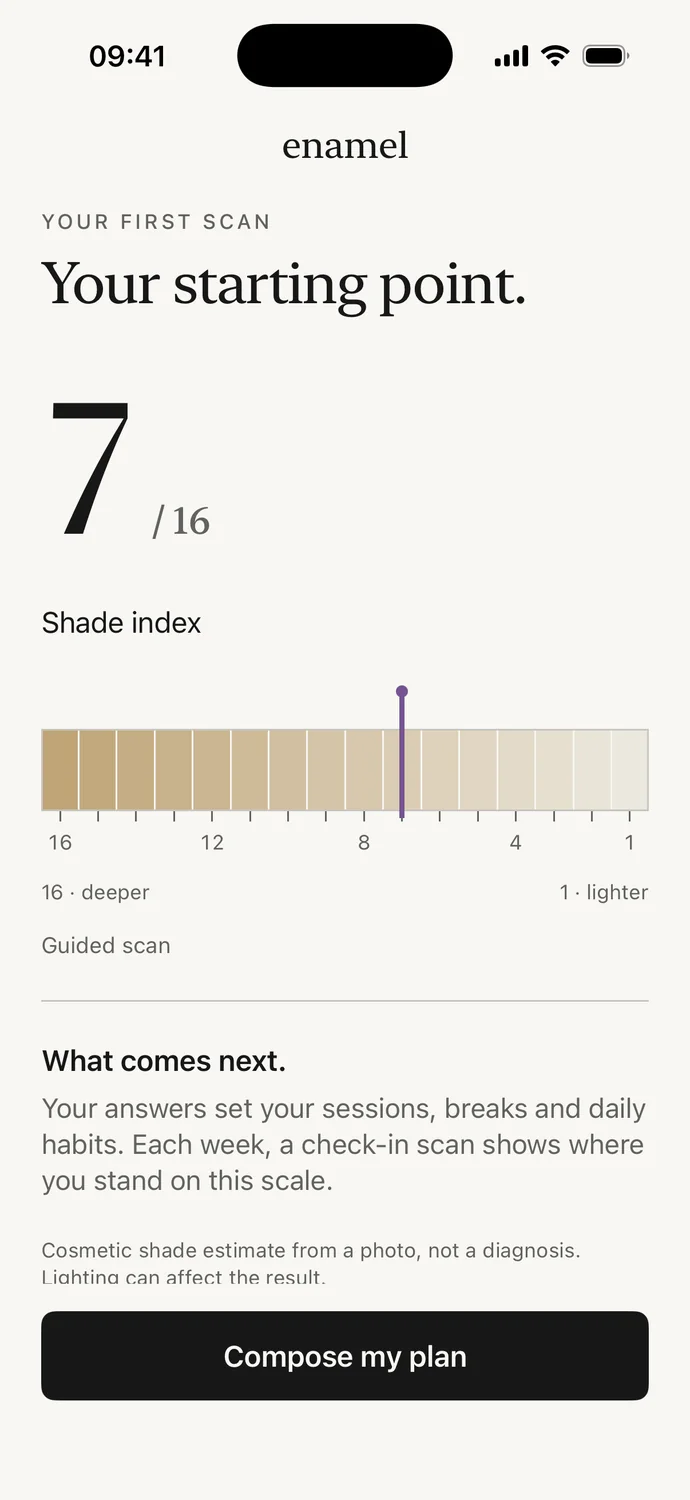
The Enamel index: a position on a scale, not a grade.
Real app screens · demo data
The problem
A bathroom selfie measures nothing.
Comparing two selfies to see whether your strips are working? Under a warm bulb, the same smile looks yellower; by a window, whiter. And every photo adjusts color its own way: two selfies can’t be compared.
Check my photo conditionsWarm light: teeth look deeper.
Illustration · appearance on the scale
Illustration: the same smile under three lights.
The guided scan
Your screen becomes the light.
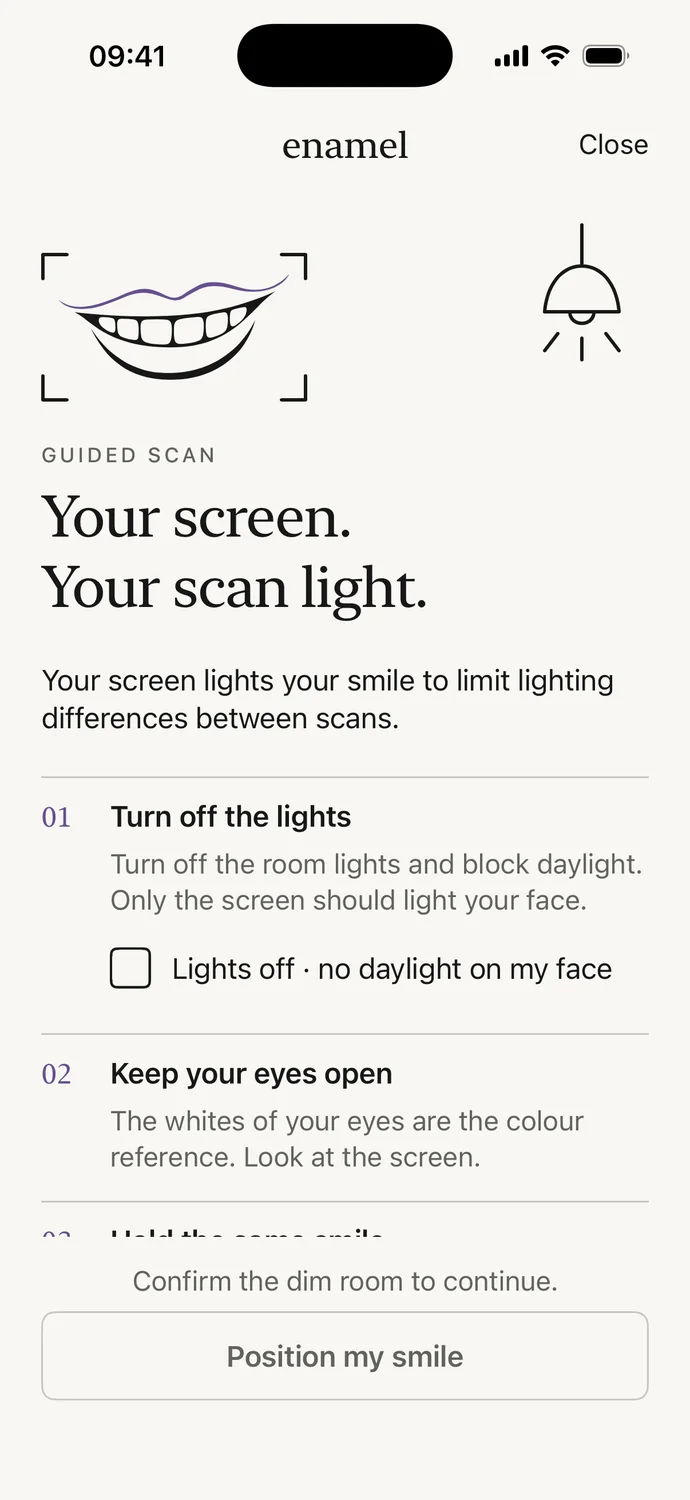
With the lights off, your iPhone screen becomes the only light on your smile. The same protocol comes back at every scan, to limit differences from one week to the next.
- 01
Turn off the lights.
No lamp or daylight on your face: only the screen should light you. Keep your eyes open.
- 02
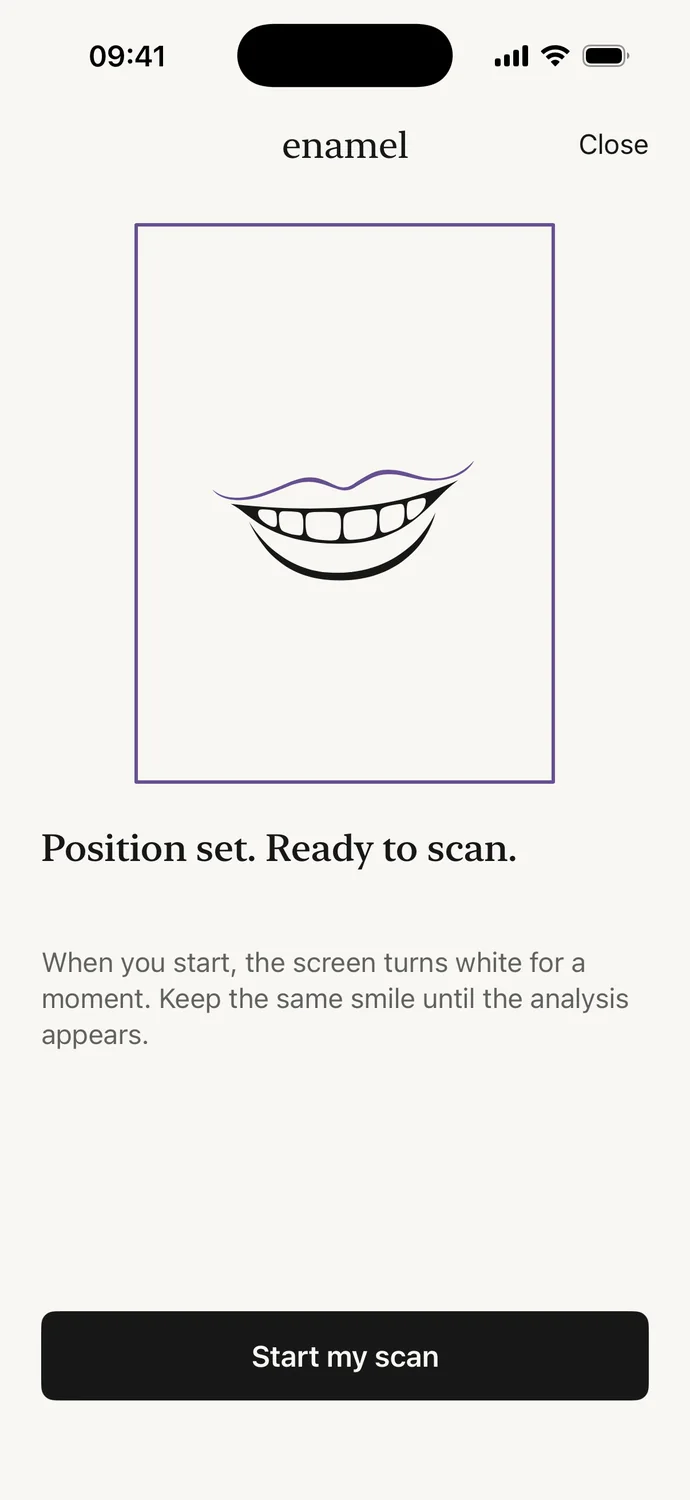
Frame your smile.
One instruction at a time: face forward, centered, at the right distance. You start the scan once everything is in place.
- 03
The screen turns white.
It lights your smile for the length of the measurement, with exposure and white balance locked. The whites of your eyes serve as the color reference.
- 04
Read your position.
An index from 1 to 16 appears. If the capture doesn’t pass its checks, no shade is shown, nothing is saved and the app tells you what to change.
Analysis happens entirely on your iPhone. No photo is sent to a server.
The index is a cosmetic estimate: room light and framing can still move it.
The scale
Sixteen shades. Every change, in words.
Your shade is a position on a single scale, from 1, lighter, to 16, deeper. Each check-in is compared with your day 0, and the result is put into plain words.
A fictional four-week example
Fictional example. Your readings may not move: Enamel promises no shade and no date.
- 01
Compared only like for like.
Same phone, same light, same position. Otherwise the reading stays in your history, uncompared.
- 02
A change has to be clear.
It’s named only when it’s bigger than the measurement margin. Below that: “no clear change”.
The plan
Your cycle, tuned to your method.
A few questions are enough: what you use, whether you need breaks, what you drink. Enamel turns them into a cycle that follows your product’s instructions, then check-ins to keep your shade.
Your method
Your pack’s course
Need breaks?
A session every day of your cycle.
A 14-day cycle of 14 sessions of 30 min, then a check-in each week to keep your shade.
30 min by default: set the length your product’s instructions give.
A next cycle starts only if you choose one, after the pause your pack recommends.
Every day: guided brushing morning and evening, flossing, and a rinse if you drink coffee, tea, wine or soda.
In the app, your answers build this calendar in a few questions.
Get notified at launchEvery day
Each day, the next thing to do.
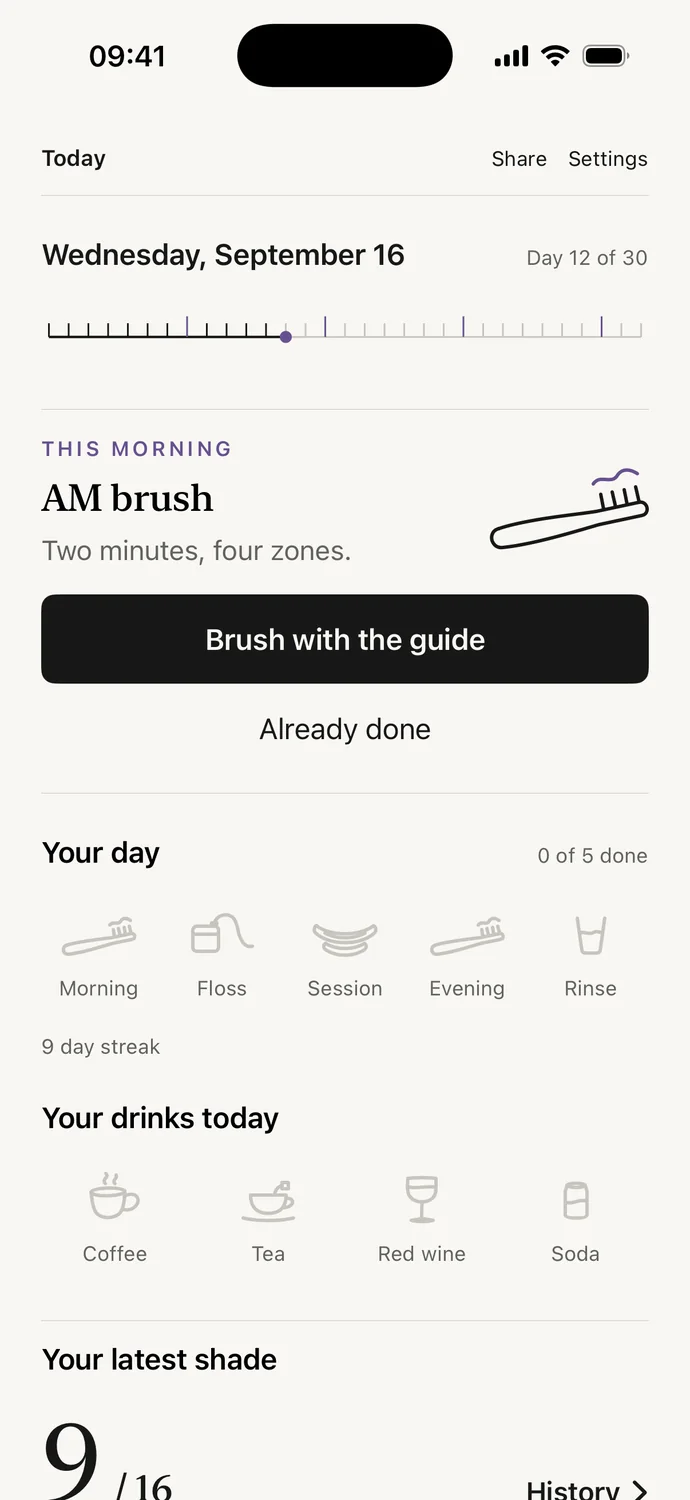
The Today screen shows the step that matters now. Everything else is one tap.
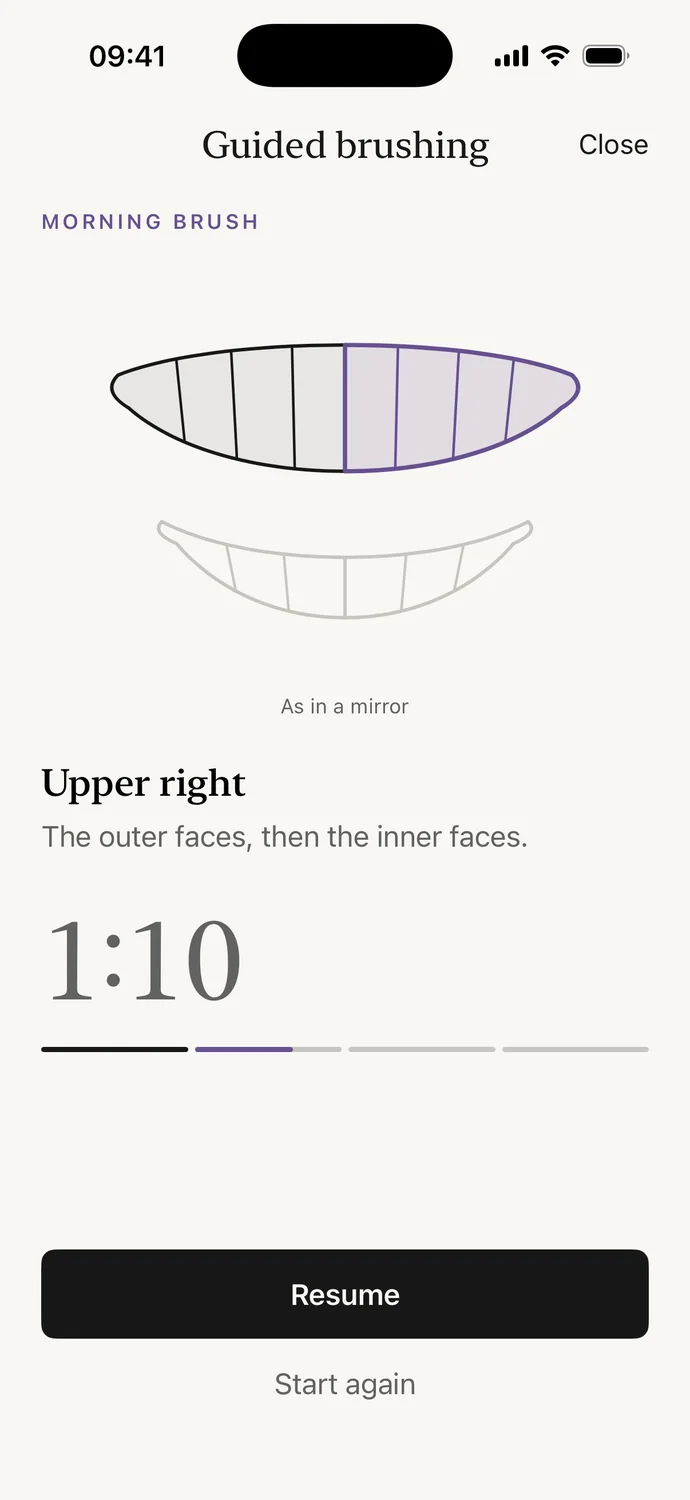
Guided brushing
Two minutes, four zones, morning and evening. The timer moves you from zone to zone.
Timed sessions
Your session timer stays visible on the Lock Screen.
Floss
One tap. Both brushes and flossing make your streak, which forgives one missed day a week.
Drinks journal
Coffee, tea, wine, soda: one tap each. If you drink them, a water rinse joins your daily habits.
A check-in every week
Day 7, 14, 21 and 28, with a reminder if you want one.
The methods guide
Toothpaste, strips, LED kits, the dentist: what each one does, with no brand and nothing to sell.
The app, screen by screen
From the first screen to the weekly check-in.
Real captures of the app, with demo data.
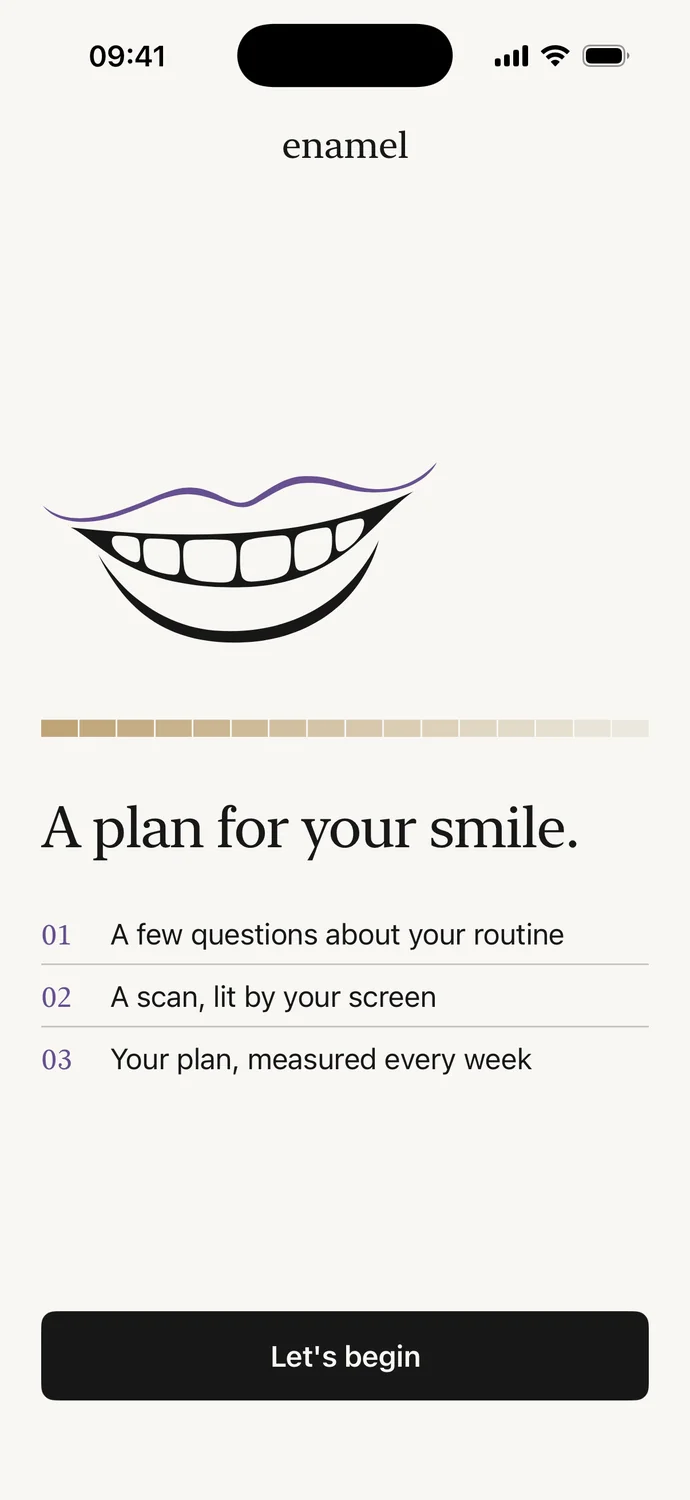
Welcome
A plan for your smile, in three steps.
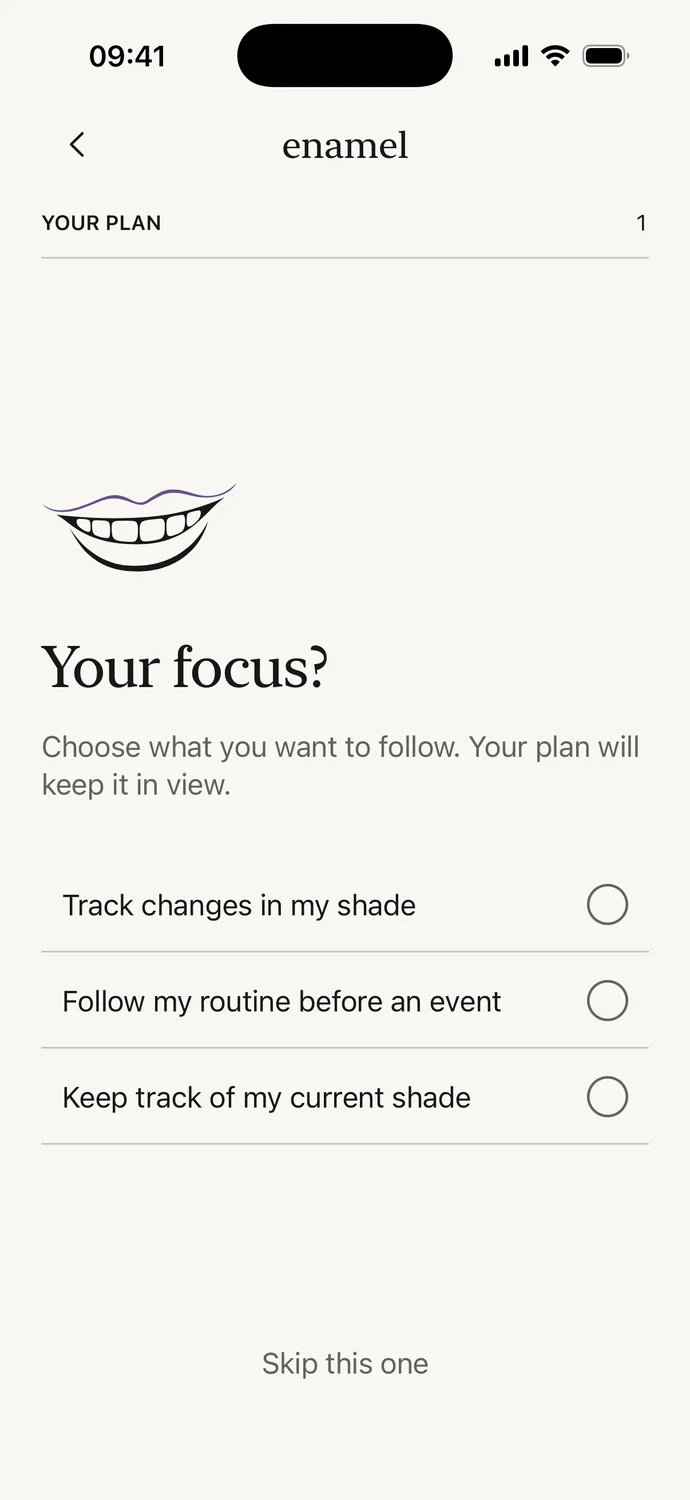
A few questions
Your focus, your method, your breaks.
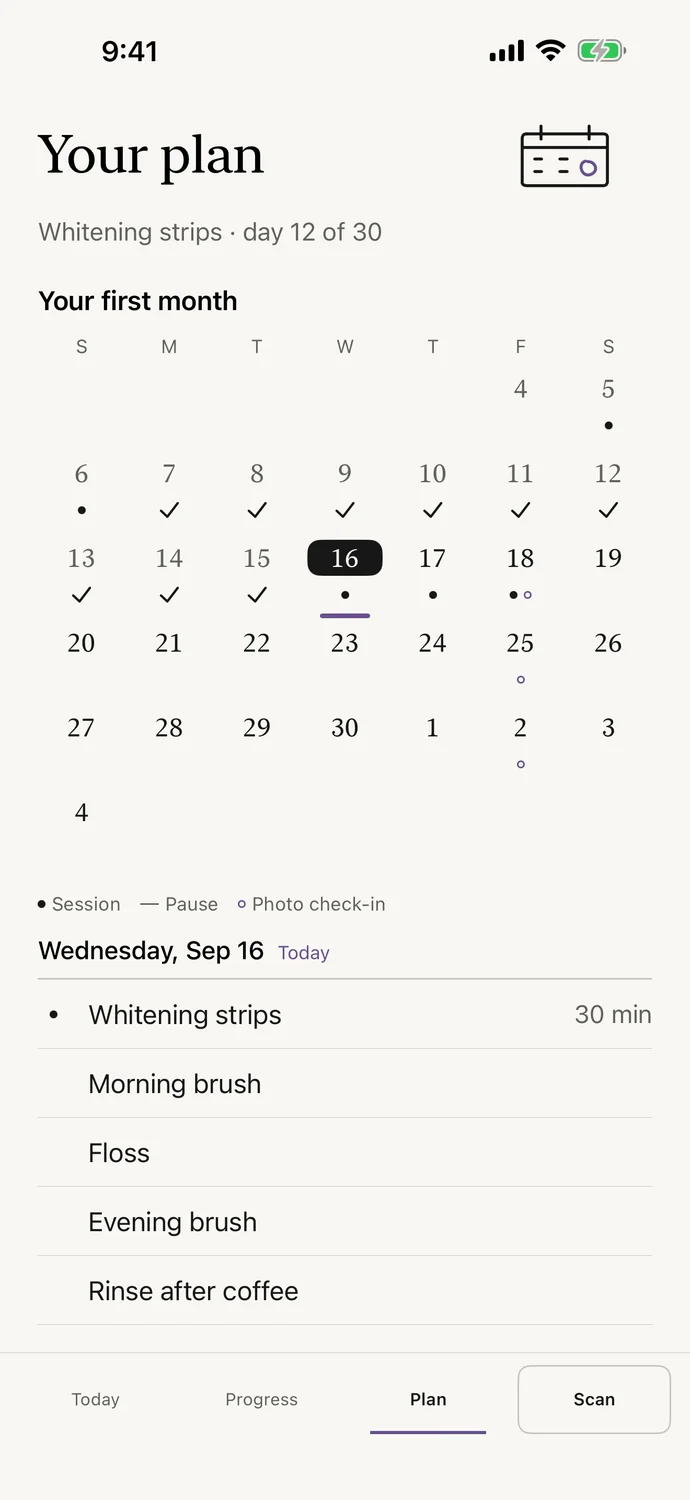
The plan
Your cycle, session by session.
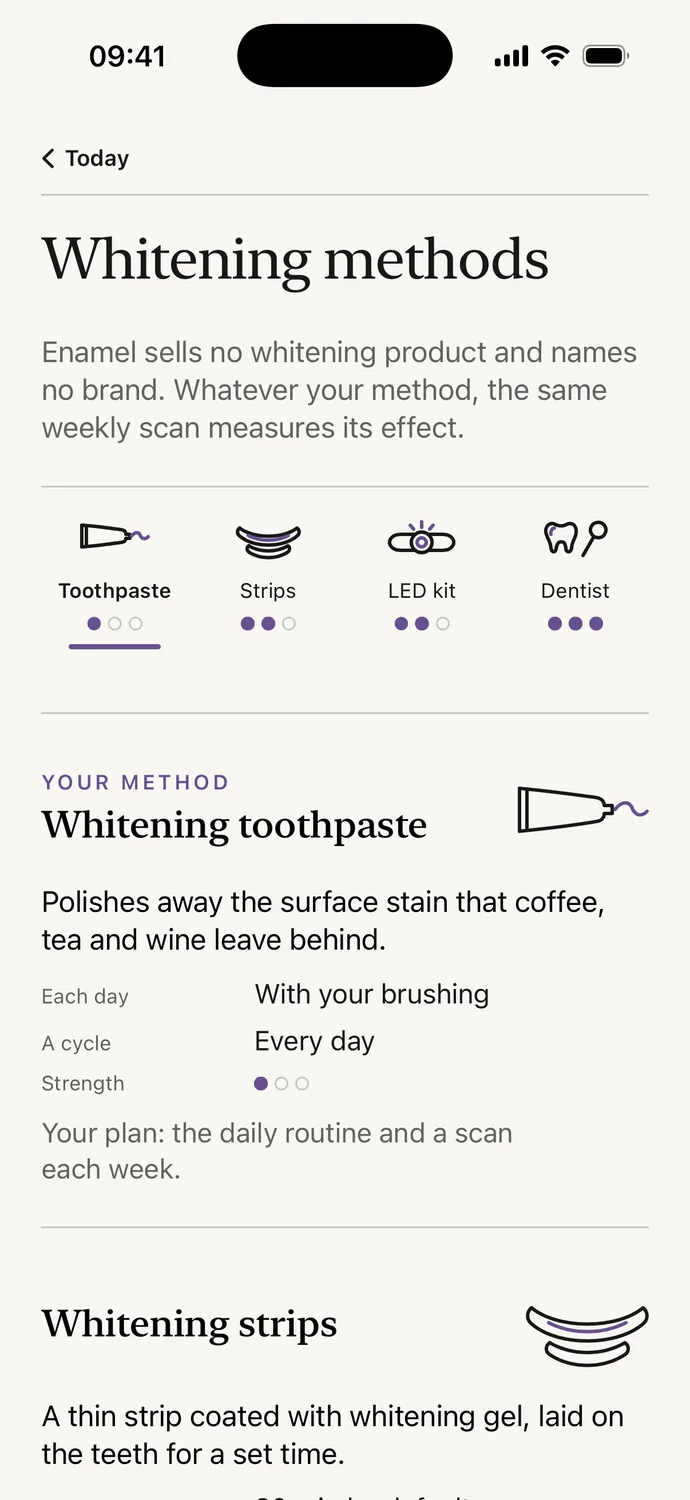
Methods
No brand, nothing to sell.
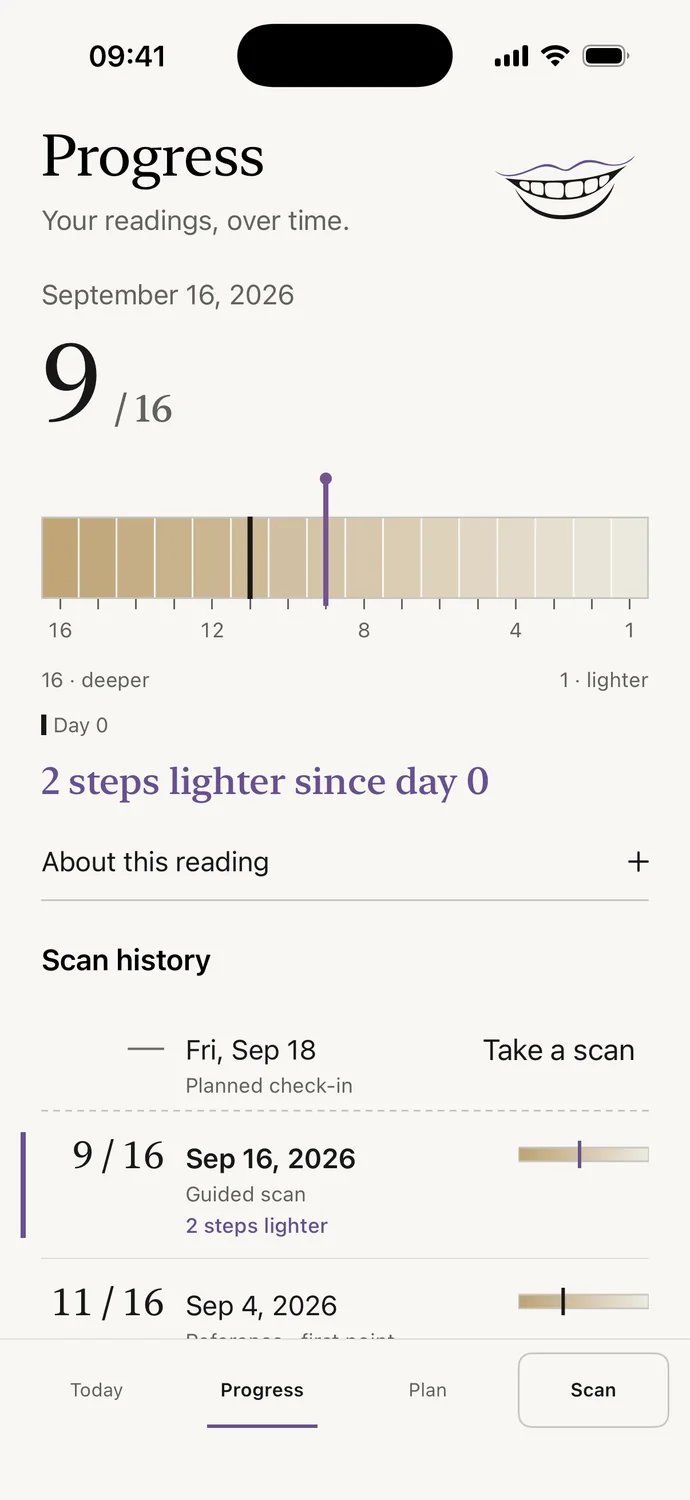
Progress
Every change, in words.
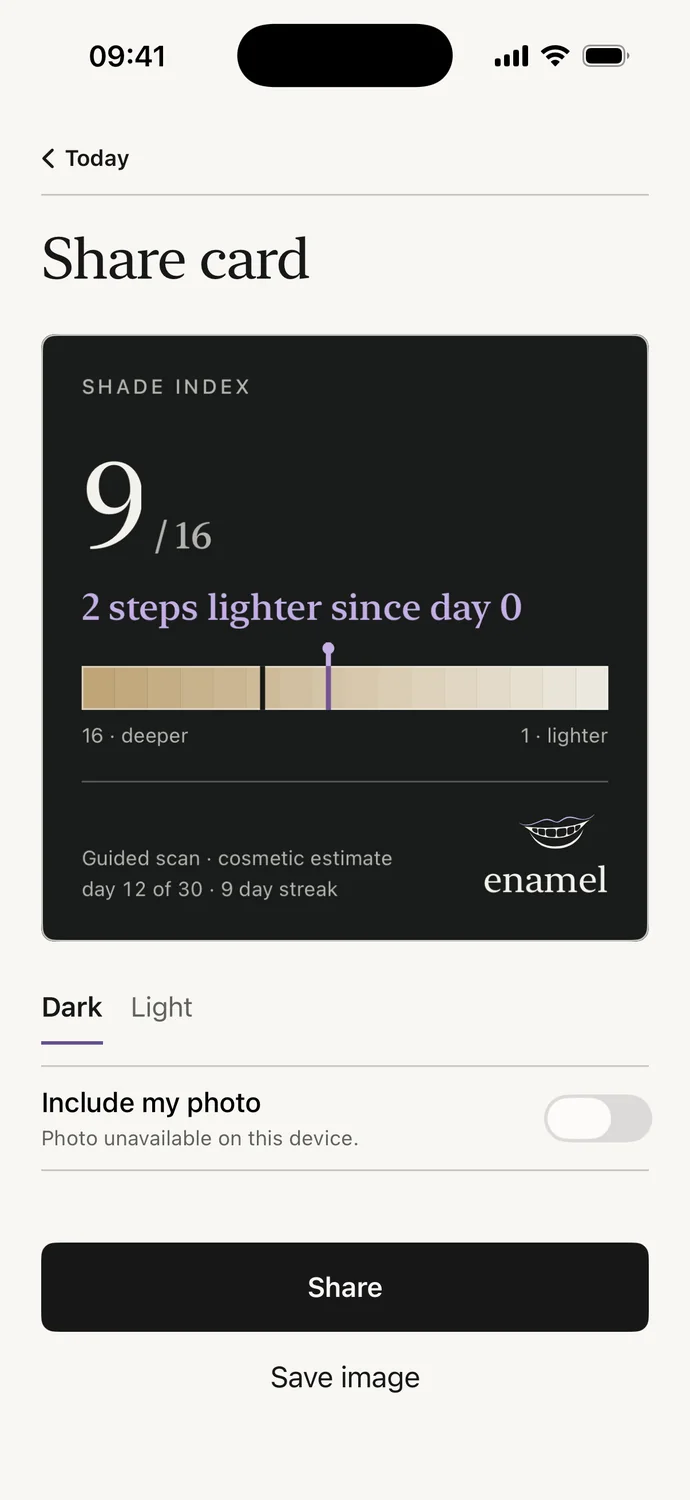
Share card
Your index, without your photo.
Real app screens · demo data
Our principles
A coach with a measuring tape. Not a dentist.
No promises.1 No filters.2 No brands.3 Your photos stay on your iPhone.4 Cosmetic only.5
- 1No target shade, no date. Only what’s measured.
- 2No retouching, no before-and-after montage: dated readings on one scale.
- 3Enamel sells no whitening product and names none.
- 4Analyzed on the device, never sent to a server. Sharing one is your choice.
- 5Enamel tracks the shade of your teeth and nothing more. Anything else is one for a dentist to look at.
The journal
Understanding your smile, without shortcuts.
Teeth whitening before and after photos: how to compare them
Why do my teeth look yellow in pictures and on camera?
How to remove coffee and tea stains from teeth
Morning and evening dental care: a routine that fits your day
Tooth shade chart: what it shows and what a photo can’t tell you
Foods and drinks that stain teeth, and what helps
Whitening strips: how to use them, how often and when to pause
Why are my teeth yellow? Causes and what helps
Does purple toothpaste work? What it changes, and for how long
How long does teeth whitening last? What long-term studies found
Does LED teeth whitening work? What the light adds and what it doesn’t
How to make teeth whiter: what actually works
What to eat after teeth whitening: is the white diet necessary?
How to whiten teeth naturally: what the studies actually show
Does turmeric whiten teeth? What the studies show
Questions
Before you start.
What is Enamel?
An iPhone app that plans your whitening around your product’s course and measures your tooth shade every week, with a guided scan lit by your screen. Tracking is cosmetic.
How do I know if my whitening strips are working?
By comparing what can be compared. A photo under different light can look lighter without any change in shade. Enamel measures your shade every week under your screen’s light, compares it with your day 0 and names a change only when it’s bigger than the measurement margin: “2 steps lighter since day 0”, or “no clear change”. The app promises no shade and no timeline.
Does Enamel whiten teeth?
No. Enamel sells and names no product. The app organizes the method you choose (strips, an LED kit, whitening toothpaste, or none yet) and measures its effect over time.
Why turn off the lights for the scan?
Because room light changes the color of your teeth in a photo: a warm bulb makes them look yellower, a window lighter. With the lights off, the screen is the only light, and the app locks exposure and white balance during the capture. In the evening or with the curtains drawn, you frame your smile, then hold still for a few seconds while the screen stays white. If the capture doesn’t pass its checks, nothing is saved.
Is it a clinical measurement?
No. The 1 to 16 index is Enamel’s own cosmetic reference, not a professional shade guide or a dentist’s assessment. Two scans are compared only when they were taken in comparable conditions.
Do my photos leave my iPhone?
No. Analysis happens entirely on the iPhone and no photo is sent to a server. Your answers, plan and readings stay on your iPhone too: Enamel has no server that receives them. A photo leaves your iPhone only if you choose to share it. You can delete everything from the app’s Settings.
How much time does it take each day?
The time of a good routine: two two-minute brushes, flossing, and your session if you use strips or an LED kit, for as long as your product says. One check-in a week, and you can start the plan without a scan.
How much does Enamel cost?
Your first scan and a preview of your plan are free, with no account to create. The daily plan and weekly check-ins need a subscription: annual, with a free trial for first-time subscribers, or weekly, with no trial. The exact price appears in the App Store before any payment, and you cancel in the App Store.
Which iPhone do I need?
An iPhone running iOS 26 or later: iPhone 11 and newer, including iPhone SE (2nd generation) and newer. The front camera is enough. Your scans are compared only with each other, on the same phone. No Android version is planned for now.
When is Enamel out?
Enamel is coming soon to the App Store, in seven languages including English and French. The download link will appear on this page on release day.
Coming to iPhone
Be first to know when it launches.
Leave your email: one message on launch day. Nothing else.
- iPhone · iOS 26
- First scan free
- No account to create